Quiz Block

Using this Block
The quiz block is used to deliver a quiz, with fill-in-the-blank questions with a single word answer. More than one possible correct answer can be provided. For math quizzes where the answer is a number, see the Math Quiz block.
The player receives a message whether this is the correct or incorrect category. The correct/ incorrect score box on the bottom right of the page has the number of correct or incorrect increased.
Making it Your Own
Like every block, the quiz block has an HTML file and config file in the folder.
- An HTML file: quiz.html . You should not need to change anything here.
- A config file: quiz_config.js – Use this file for quizzes with fill-in-the blank questions.
Page options
const options = {
    quiz_type: "text", // should be "text".
    randomize_questions: true,
    numberOfQuestionsToAsk: 5, // optional; if missing, all questions will be asked
    instructions: "You will be asked a series of questions. You will get a point for every correct answer.",
    completionURL: "../next_block/next_block.html",
};
quiz_type: In quiz_config.js the quiz_type is set to “text” and answers to questions will be a single word. See below under “questions_and_answers” for more detail.
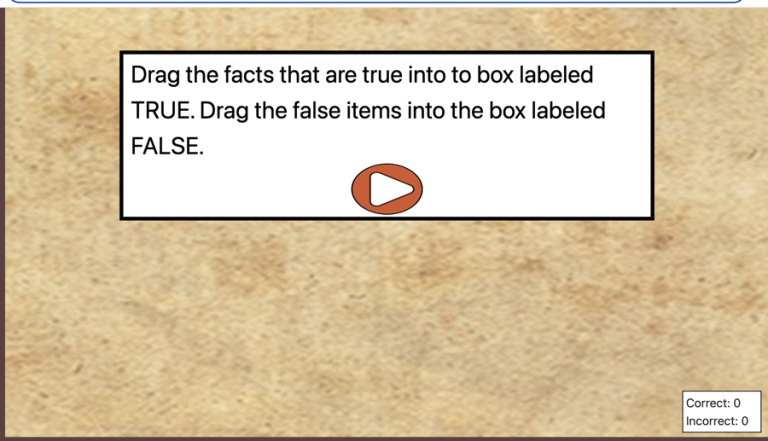
instructions: These are the instructions shown on the page before the quiz begins. This can be either html or just plain text. (See the example in the first image above.)
numberOfQuestionsToAsk: How many questions should be answered before going on to the next block.
randomize_questions – by default, this is set to true, so questions will be randomly selected from the questions you provide below. If you change it to false, the first question you list below will always be shown first, the second question will be shown second, and so on. NOTE: If your numberOfQuestionsToAsk is less than the total number of questions you provided and you set randomize_questions to false, the later questions in the array will never get asked.
completionURL – you’ll see this in every block. It is the URL where you want to go on the completion of this assessment.
Questions and Answers
const questions_and_answers = [
    {
        question: "What was Lewis's first name?",
        answer: "Merriwether"
    },
    {
        question: "What is the study of maps called?",
        answer: "cartography"
    },

    {
        question: "The three sisters in Hidatsa agriculture are squash, beans and ____ ",
        answer: "corn"
    },

    {
        question: "The Lakota are sometimes called the ______ people.",
        answer: "horse"
    },

    {
        question: "When Thomas Jefferson bought over 800,000 square miles from France, it was called the _____ Purchase.",
        answer: "Louisiana"
    },

    {
        question: "The two tribes that lived near the Hidatsa were the Arikara and the ",
        answer: "Mandan"
    },

    {
        question: "The Native American woman who interpreted for Lewis and Clark was named",
        answer: ["Sacagawea", "Sakakawea", "Sacajawea"],
    },
];
This is pretty straightforward. It’s an array of objects. Between each set of curly braces {}
- Give a question, in quotes, after question:
- Give the answer to the question, in quotes, after answer:
Don’t forget the comma between the question and answer properties, and between each object.
If a question has more than one possible answer, like in the last question in the example above, include an array of answers. That is, enclose the list of all correct answers in square brackets, separated by commas. The answers should all be in quotes.
The config file should end with:
export {options, questions_and_answers};


One Comment